Organizing Your Express Project
Learn about Organizing Your Express Project for scalability
1. Problem Statement
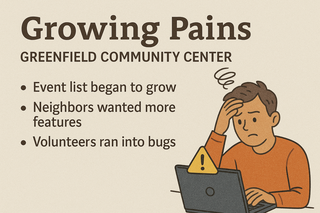
Greenfield Community Center’s Growing Pains
The new website for Greenfield Community Center is live!
-
At first, it was just a single file with a welcome message and an events list.
-
But soon, neighbors wanted to sign up for classes, send messages, and view news.
-
Every new feature meant adding more code to the same file, making it harder to read, debug, or update.
-
When a volunteer tried to fix a bug, they accidentally broke the events page.
The challenge:
How do you organize your Express project so it’s easy to add new features, fix bugs, and let multiple people work together-without stepping on each other’s toes or losing control as your app grows?
2. Learning Objectives
By the end of this tutorial, you’ll be able to:
-
Understand why project structure matters in Express apps.
-
Set up a modular, maintainable folder structure.
-
Separate routes, logic, and data for clarity and teamwork.
-
Initialize a scalable Express app that’s ready for real-world growth.
3. Concept Introduction with Analogy
Analogy: Turning a Single-Room Office into a Modern Community Center
Imagine the community center started in one room where everything happened-meetings, classes, lost & found, and even storage.
-
As more people joined, it became crowded and confusing.
-
The solution? Build dedicated rooms: one for classes, one for events, one for staff, and so on.
-
Now, everyone knows where to go, and the center can offer more services without chaos.
A well-structured Express project is just like that:
-
Each “room” (folder or module) has a clear purpose.
-
New features don’t clutter existing code.
-
Volunteers (developers) can work in parallel without tripping over each other.
A. Why Project Structure Matters
-
Readability: Easy to find and understand code.
-
Maintainability: Simple to update, debug, or add features.
-
Teamwork: Multiple people can work on different parts without conflict.
-
Scalability: Ready to grow from a simple site to a robust application.
B. Common Express Project Structure
A typical, scalable Express project might look like:
greenfield-center/ ├── app.js # Main application entry point ├── package.json # Project metadata and dependencies ├── routes/ # Route definitions (handles endpoint paths) │ ├── events.js │ └── classes.js ├── controllers/ # Request-handling logic (optional for larger apps) │ ├── eventsController.js │ └── classesController.js ├── models/ # Database models (e.g., Mongoose schemas) │ └── event.js ├── public/ # Static files (CSS, images, client-side JavaScript) │ ├── css/ │ ├── js/ │ └── images/ ├── views/ # HTML templates (e.g., using EJS, Pug, or Handlebars) │ └── index.ejs ├── middleware/ # Custom middleware functions (e.g., auth, logging) │ └── auth.js ├── .env # Environment variables (if used) └── README.md # Project documentation
Key ideas:
-
routes/: Defines what URLs your app responds to. -
controllers/: Contains the logic for each route (keeps routes clean). -
models/: Used if you connect to a database. -
public/: For static files like images or stylesheets. -
views/: For HTML templates if you build web pages (not just APIs).
C. How to Modularize Your App
1. Move Routes to Separate Files
events.js (in routes/):
 const express = require('express');
const router = express.Router();

router.get('/', (req, res) => {
  res.json([
    'Yoga Class - Monday 7pm',
    'Gardening Workshop - Wednesday 5pm',
    'Book Club - Friday 6pm'
  ]);
});

module.exports = router;
2. Use the Routes in Your Main App
app.js:
 const express = require('express');
const app = express();
const eventsRouter = require('./routes/events');

app.use(express.json());

// Mount the events router at /events
app.use('/events', eventsRouter);

app.get('/', (req, res) => {
  res.send('Welcome to Greenfield Community Center!');
});

const port = 3000;
app.listen(port, () => {
  console.log(`Community Center server running at http://localhost:${port}`);
});
3. Add More Features Easily
- To add a
/classesroute, just create aroutes/classes.jsfile and add:
  const express = require('express');
const router = express.Router();

router.get('/', (req, res) => {
  res.json([
    'Art Class - Tuesday 4pm',
    'Music Class - Thursday 3pm'
  ]);
});

module.exports = router;
- Then in
app.js:
 const classesRouter = require('./routes/classes');
app.use('/classes', classesRouter);
D. Serving Static Files
-
To serve images, CSS, or client-side JavaScript, add a
public/folder. - In
app.js:app.use(express.static('public')); - Now, files in
public/are accessible athttp://localhost:3000/filename.
E. (Optional) Using Controllers and Models
-
For larger apps, move logic out of routes and into
controllers/. -
If you use a database, define your data structure in
models/.
4. Step-by-Step Data Modeling & Code Walkthrough
Let’s see how this structure directly solves Greenfield Community Center’s problems:
A. Creating the Project Structure
-
In your project folder, create these folders:
`mkdir routes public` -
Create
routes/events.jsas shown above. -
Move your
/eventsroute code fromapp.jstoroutes/events.js.
B. Updating app.js
-
Import and use your new router modules.
-
Keep
app.jsfocused on setup and configuration.
C. Adding and Testing New Features
-
Add a new route for
/classesas above. -
Add a new file in
public/(e.g.,logo.png) and access it athttp://localhost:3000/logo.png.
D. How This Structure Solves the Center’s Problems
-
No more tangled code: Each feature lives in its own file.
-
Easy to add features: Just add a new route or controller.
-
Multiple volunteers can work together: No one overwrites someone else’s work.
-
Static files and assets are organized: No more lost images or stylesheets.
6. Challenge
Your Turn!
-
Add a new route
/contactinroutes/contact.jsthat returns the center’s contact info as JSON. -
Mount it in
app.jsat/contact. -
Test by visiting
http://localhost:3000/contact.
7. Solution & Deep Dive Explanation
routes/contact.js:
 const express = require('express');
const router = express.Router();

router.get('/', (req, res) => {
  res.json({
    email: 'info@greenfieldcenter.org',
    phone: '555-123-4567'
  });
});

module.exports = router;
app.js:
 const contactRouter = require('./routes/contact');
app.use('/contact', contactRouter);
Explanation:
-
Each route is in its own file, so you can add, update, or fix features without touching unrelated code.
-
app.use()mounts each router at a specific path, keeping your app organized.
7. Common Pitfalls & Best Practices
| Pitfall | Best Practice | |———————————|————————————————–| | Mixing all routes in one file | Separate routes into their own files | | Hardcoding data everywhere | Use controllers or models for logic | | Ignoring static files | Use public/ for images, CSS, JS | | Not using version control | Use Git to track changes and collaborate |
8. Quick Recap & Key Takeaways
-
A good project structure makes your app easier to grow, debug, and share.
-
Separate routes, logic, and static files for clarity and teamwork.
-
Modular code means faster development and fewer bugs as your app grows.
9. Optional: Programmer’s Workflow Checklist
-
Use a
routes/folder for all endpoints. -
Use
public/for static assets. -
Move logic to controllers for larger apps.
-
Keep
app.jsfocused on setup and configuration. -
Test new features as you add them.