TSX & Typed Components
Learn about TSX & Typed Components in React: Props Interfaces, State Typing, Functional & Class Components
1. Problem Statement
Case Study: Smart Portfolio Dashboard
You’re building a financial portfolio dashboard:
-
Each asset card must show a name, symbol, current value, and percentage change—all with strict type safety.
-
Users can add, remove, or update assets, and the UI must prevent type errors (e.g., mixing up numbers and strings, missing props).
-
Some components are stateless (just display data), others manage complex, interactive state (adding assets, editing values).
-
The team wants to avoid runtime bugs from missing or mistyped props, and ensure state is always managed correctly.
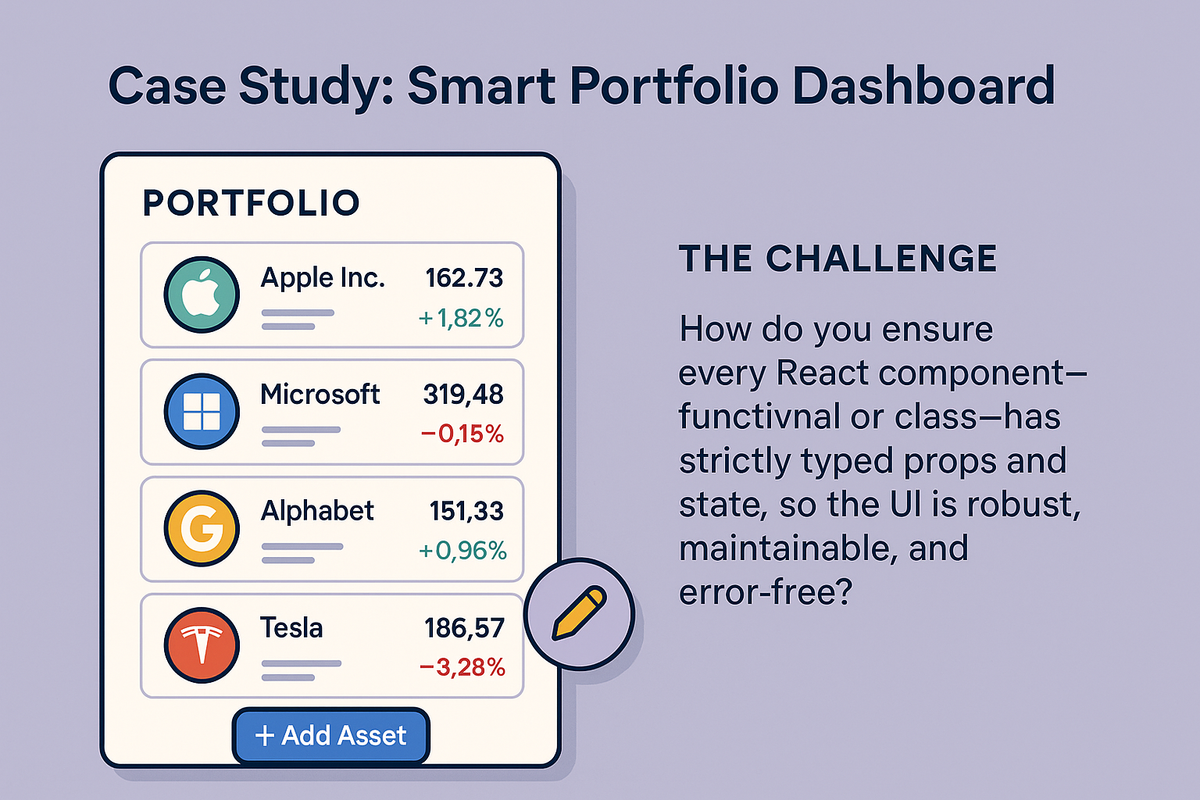
The challenge:
How do you ensure every React component—functional or class—has strictly typed props and state, so the UI is robust, maintainable, and error-free?
2. Learning Objectives
By the end of this tutorial, you will:
-
Define and use props interfaces for both functional and class components.
-
Strongly type component state (with
useState,useReducer, and class state). -
Know when to use interfaces vs. type aliases for props/state.
-
Understand typing for event handlers, children, and generics.
-
Compare typing in functional vs. class components.
-
Avoid common pitfalls like implicit
any, missing props, and state mutation.
3. Concept Introduction with Analogy
Analogy: The Portfolio Ledger
-
Props are like asset forms: Each field (name, value, change) must be filled out with the correct type—no mixing up numbers and text.
-
State is the running ledger: It tracks all changes and must always be accurate and up-to-date.
-
Functional Components are like calculators: They process data quickly, and can keep memory (state) with hooks.
-
Class Components are like portfolio managers: They manage more complex workflows, with a clear structure for their data and methods.
TypeScript is the auditor:
It catches every type mismatch before it becomes a costly bug.
4. Technical Deep Dive
A. Typing Props: Interfaces and Type Aliases
1. Defining Props with Interfaces
-
Use
interfaceortypeto declare the shape of props. -
Interfaces are extensible and ideal for public APIs.
// AssetCard.tsx
interface AssetCardProps {
  name: string;
  symbol: string;
  value: number;
  change: number;
  onRemove: (symbol: string) => void;
}
2. Using Type Aliases for Props
-   Type aliases are great for unions or when you want to combine types.

type AssetType = 'stock' | 'bond' | 'crypto';
type AssetProps = {
  type: AssetType;
  value: number;
};
3. Optional and Default Props
-
Use
?for optional props. -
Provide default values in destructuring or with
defaultProps(class components).
const AssetCard: React.FC<AssetCardProps> = ({
  name,
  symbol,
  value,
  change,
  onRemove
}) => (
  <div>
    <span>{name} ({symbol})</span>
    <span>${value}</span>
    <span style=>
      {change > 0 ? '+' : ''}{change}%
    </span>
    <button onClick={() => onRemove(symbol)}>Remove</button>
  </div>
);
- If you pass a prop not in the interface, TypeScript will error.
B. Typing State in Functional Components
1. useState with Explicit Types
const [selectedSymbol, setSelectedSymbol] = useState<string | null>(null);
const [filters, setFilters] = useState<{ type: AssetType; minValue: number }>({ type: 'stock', minValue: 0 });
- TypeScript infers the type from the initial value, but you can specify explicitly for clarity
2. Complex State with useReducer
interface PortfolioState {
  assets: { name: string; symbol: string; value: number; change: number }[];
}
type PortfolioAction =
  | { type: 'add'; asset: PortfolioState['assets'][number] }
  | { type: 'remove'; symbol: string };

function portfolioReducer(state: PortfolioState, action: PortfolioAction): PortfolioState {
  switch (action.type) {
    case 'add':
      return { ...state, assets: [...state.assets, action.asset] };
    case 'remove':
      return { ...state, assets: state.assets.filter(a => a.symbol !== action.symbol) };
    default:
      return state;
  }
}
const [state, dispatch] = useReducer(portfolioReducer, { assets: [] });
- Useful for non-trivial, multi-field state.
C. Typing Functional Components
1. With React.FC or Explicit Props
React.FC<Props>addschildrenby default, but explicit typing is often clearer.
const AssetCard: React.FC<AssetCardProps> = (props) => { /* ... */ };
// or
const AssetCard = ({ name, symbol, value, change, onRemove }: AssetCardProps) => { /* ... */ };
2. Typing Event Handlers
const handleChange = (e: React.ChangeEvent<HTMLInputElement>) => {
  setFilters({ ...filters, minValue: Number(e.target.value) });
};
- Use React’s event types for safety.
3. Typing Children
interface WrapperProps {
  children: React.ReactNode;
}
const Wrapper: React.FC<WrapperProps> = ({ children }) => <div>{children}</div>;
D. Typing Class Components
1. Props and State Generics
React.Component<Props, State>gives full type safety.
interface AssetFormProps { onAdd: (asset: AssetCardProps) => void; }
interface AssetFormState { name: string; symbol: string; value: string; change: string; }

class AssetForm extends React.Component<AssetFormProps, AssetFormState> {
  state: AssetFormState = { name: '', symbol: '', value: '', change: '' };

  handleChange = (e: React.ChangeEvent<HTMLInputElement>) => {
    this.setState({ [e.target.name]: e.target.value } as Pick<AssetFormState, keyof AssetFormState>);
  };

  handleSubmit = (e: React.FormEvent) => {
    e.preventDefault();
    this.props.onAdd({
      name: this.state.name,
      symbol: this.state.symbol,
      value: parseFloat(this.state.value),
      change: parseFloat(this.state.change),
      onRemove: () => {}
    });
    this.setState({ name: '', symbol: '', value: '', change: '' });
  };

  render() {
    return (
      <form onSubmit={this.handleSubmit}>
        <input name="name" value={this.state.name} onChange={this.handleChange} />
        <input name="symbol" value={this.state.symbol} onChange={this.handleChange} />
        <input name="value" value={this.state.value} onChange={this.handleChange} type="number" />
        <input name="change" value={this.state.change} onChange={this.handleChange} type="number" />
        <button type="submit">Add Asset</button>
      </form>
    );
  }
}
E. Best Practices and Pitfalls
| Pitfall | Best Practice |
|---|---|
Using any |
Always type props and state explicitly |
Implicit any in events |
Use React types for event handlers |
| Optional props w/o default | Provide defaults or handle undefined |
| Mutating state directly | Use state setters and immutable patterns |
| Not exporting interfaces | Export for reuse and testing |
5. Step-by-Step Data Modeling & Code Walkthrough
A. Functional Component: Asset List
interface Asset {
  name: string;
  symbol: string;
  value: number;
  change: number;
}
interface AssetListProps {
  assets: Asset[];
  onRemove: (symbol: string) => void;
}
const AssetList: React.FC<AssetListProps> = ({ assets, onRemove }) => (
  <ul>
    {assets.map(a => (
      <li key={a.symbol}>
        {a.name} ({a.symbol}): ${a.value} ({a.change > 0 ? '+' : ''}{a.change}%)
        <button onClick={() => onRemove(a.symbol)}>Remove</button>
      </li>
    ))}
  </ul>
);
B. Class Component: Asset Form
interface AssetFormProps { onAdd: (asset: Asset) => void; }
interface AssetFormState { name: string; symbol: string; value: string; change: string; }

class AssetForm extends React.Component<AssetFormProps, AssetFormState> {
  state: AssetFormState = { name: '', symbol: '', value: '', change: '' };

  handleChange = (e: React.ChangeEvent<HTMLInputElement>) => {
    this.setState({ [e.target.name]: e.target.value } as Pick<AssetFormState, keyof AssetFormState>);
  };

  handleSubmit = (e: React.FormEvent) => {
    e.preventDefault();
    this.props.onAdd({
      name: this.state.name,
      symbol: this.state.symbol,
      value: parseFloat(this.state.value),
      change: parseFloat(this.state.change)
    });
    this.setState({ name: '', symbol: '', value: '', change: '' });
  };

  render() {
    return (
      <form onSubmit={this.handleSubmit}>
        <input name="name" value={this.state.name} onChange={this.handleChange} />
        <input name="symbol" value={this.state.symbol} onChange={this.handleChange} />
        <input name="value" value={this.state.value} onChange={this.handleChange} type="number" />
        <input name="change" value={this.state.change} onChange={this.handleChange} type="number" />
        <button type="submit">Add Asset</button>
      </form>
    );
  }
}
C. State Typing with useReducer (Portfolio Management)
interface PortfolioState {
  assets: Asset[];
}
type PortfolioAction =
  | { type: 'add'; asset: Asset }
  | { type: 'remove'; symbol: string };

function portfolioReducer(state: PortfolioState, action: PortfolioAction): PortfolioState {
  switch (action.type) {
    case 'add':
      return { ...state, assets: [...state.assets, action.asset] };
    case 'remove':
      return { ...state, assets: state.assets.filter(a => a.symbol !== action.symbol) };
    default:
      return state;
  }
}
const [state, dispatch] = useReducer(portfolioReducer, { assets: [] });
6. Interactive Challenge / Mini-Project
Your Turn!
-
Create a
PortfolioSummaryfunctional component that:-
Receives a typed array of assets (
Asset[]) as props. -
Renders the total value and average percentage change.
-
-
Create an
AssetEditorclass component that:-
Has typed state for
name,symbol,value, andchange. -
Accepts a callback prop
onUpdate(typed) to update an asset. -
Resets the form after submission.
-
7. Common Pitfalls & Best Practices
| Pitfall | Best Practice |
|---|---|
Using any for props/state |
Always define explicit types |
| Not handling optional props | Provide defaults or handle undefined |
| Mutating state directly | Use state setters and immutable patterns |
| Not exporting interfaces/types | Export for reuse and testing |
| Mixing up functional and class patterns | Be consistent and clear |
8. Optional: Programmer’s Workflow Checklist
-
Define interfaces/types for all props and state.
-
Use explicit types for event handlers and refs.
-
Use functional components for most new code, but type class components when needed.
-
Use
useReducerfor complex state logic.